Scroll
IT Support
Windows Administration | Active Directory | Microsoft 365 | Networking | Technical Troubleshooting
Building practical IT support skills through hands-on home labs, Microsoft Learn, and real-world technical projects while preparing for an entry-level IT support role.
B.A. Information Technologies (Expected 2027) | CompTIA Network+ (Expected 2026)

VIEW FEATURED WORK
Download Resume


Who I Am
Hands-On Technologies
Windows 10/11
Microsoft 365
Active Directory
DNS
DHCP
TCP/IP
PowerShell
Command Line









Completing Service Desk Simulator, Microsoft Learn and TryHackMe labs covering Windows administration, networking, Active Directory concepts, Microsoft 365, and enterprise IT support.
Service Desk Simulator
Windows Administration labs
Active Directory concepts
DNS & DHCP troubleshooting
PowerShell fundamentals
Networking Labs (TCP/IP)

My Learning Journey

CURRENT FOCUS
CURRENT PROJECTS

ABOUT ME
Current Technical Focus
Troubleshooting Windows and networking issues
Building networking fundamentals (TCP/IP, DNS, DHCP, subnetting)
Learning Active Directory user and group administration
Completing guided Microsoft Learn and TryHackMe labs
Technical Mindset

I believe the best technicians understand the problem before trying to fix it.
Break down problems methodically
Focus on root-cause troubleshooting
Explain technical issues clearly
Learn through hands-on practice
Turn complexity into structured solutions
My Goal
Secure my first IT Support role where I can contribute immediately, continue learning from experienced seniors, and grow into systems administration, networking, or security.

Hey, I'm Dylan. I'm an Entry-Level IT Support Professional with a background in customer service, technical troubleshooting, and problem solving. I'm passionate about learning how enterprise environments operate and enjoy breaking down technical issues into practical solutions.
I'm currently building hands-on experience with Windows administration, Active Directory, Microsoft 365, networking, and enterprise IT through home labs, Microsoft Learn, and technical projects.
Current Learning Path

Service Desk Simulator
Microsoft Learn (Windows Administration)
Active Directory Administration
Group Policy Management
Windows Server Administration
PowerShell Basics
TryHackMe Windows Labs
CompTIA Network + (In Progress)
B.A. Information Technologies
(Expected 2027)

Planned Next

CompTIA Security +
CCNA

Service Desk Support Simulation
FEATURED WORK
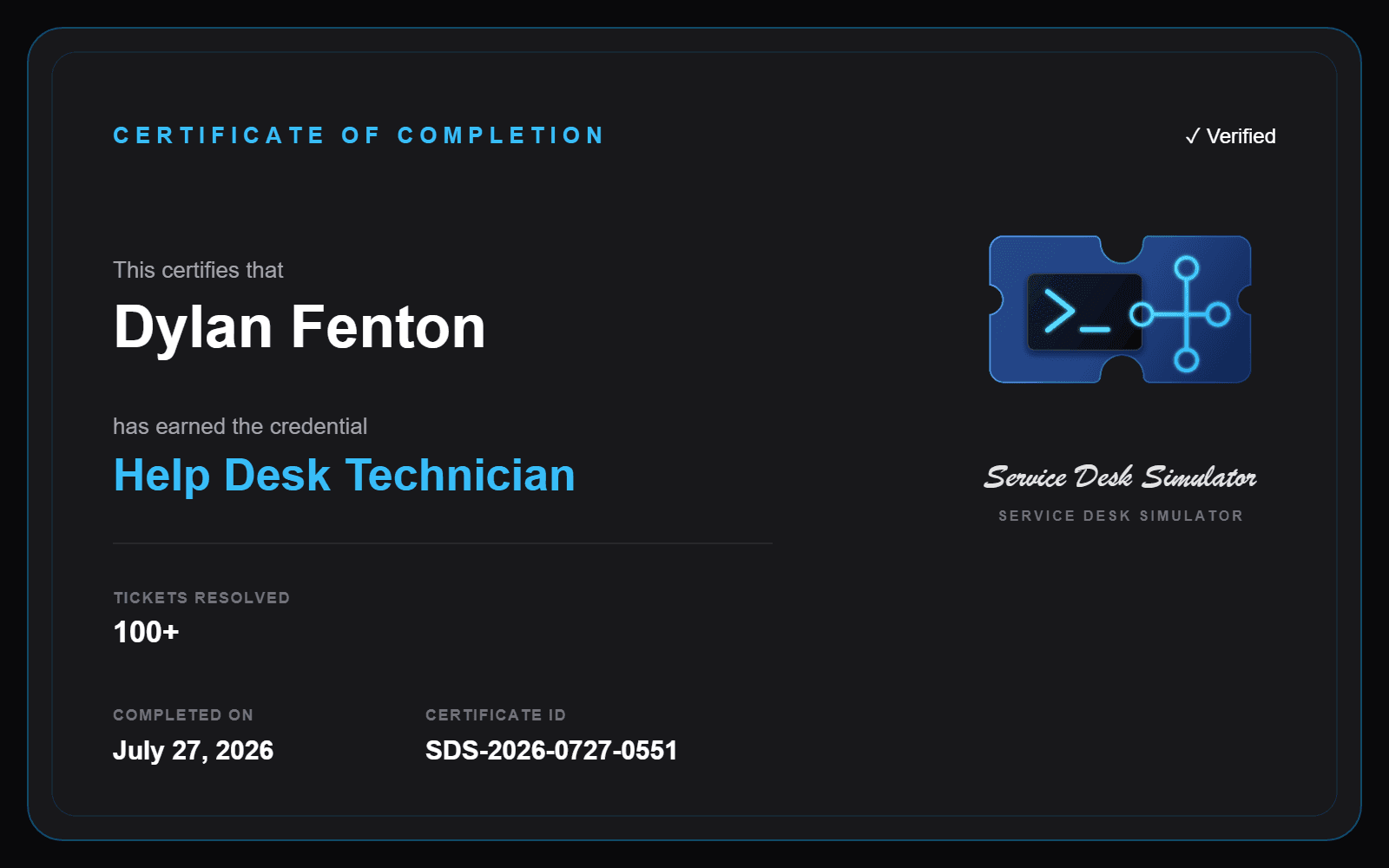
Completed hands-on work in a simulated enterprise support environment, resolving requests across identity, endpoint, network, server, and remote-support scenarios.
Tickets Resolved

Accuracy


Ticket Categories

Simulated Calls

Endpoint Deployment
Workstation Imaging | Hardware Replacement
Hardware Support
Workstation Imaging
Device Deployment
RESULT
The user received the replacement, confirmed it powered on successfully, and verified that the workstation was fully operational.
RESOLUTION
Confirmed the outlet and power switch were operational, isolating the failure to the workstation. Built and imaged a replacement desktop using the required Customer Support deployment profile, assigned hostname SD1206, completed the physical setup, and arranged priority delivery with a return label.
ISSUE
A Customer Support agent’s desktop was completely unresponsive, preventing the agent from handling queued calls.
Network Infrastructure
Switch Monitoring | Floor-Wide Outage
Incident Response
Network Switches
Network Monitoring
RESULT
Verified that the Floor 3 switch returned online, all 13 monitored nodes were operational, and the reporting user confirmed internet connectivity had been restored.
RESOLUTION
Used the server-room monitoring tools to isolate the outage to the Floor 3 network switch, which was reporting an error while the ISP, router, firewall, servers, and other switches remained online. Rebooted the affected switch and monitored its recovery.
ISSUE
Multiple departments on Floor 3 lost internet connectivity, preventing employees from accessing websites and the customer service team from using its CRM.
Enterprise Print Services
Print Server Recovery | Network Printer Configuration
RESULT
Sent a successful test page, confirmed the user could print normally, and monitored the recovered print server for additional reports.
RESOLUTION
Used server monitoring tools to identify PRINT01 in a degraded state with excessive CPU and memory utilization. Rebooted the server and verified normal resource levels, then remotely restored the reporting user’s printer using its documented IP address.
ISSUE
Printers across the office stopped working, preventing multiple departments from printing contracts and business documents.
Print Server
Network Printers
Remote Support
Remote Support
VPN | Shared-Drive Recovery
RESULT
Verified that the VPN tunnel was active and the Marketing drive appeared online and accessible in File Explorer, restoring access to the employee’s campaign files.
RESOLUTION
Remotely connected to the workstation, discovered the corporate VPN was disconnected, and restored the secure tunnel. Used internal file-server documentation to locate the approved Marketing UNC path and recreated the persistent D: drive mapping.
ISSUE
A remote Marketing employee could access the internet and email but received a “network path not found” error when attempting to open the department’s mapped drive.
Mapped Drivers
VPN
UNC Paths
Identity & Access Management
Active Directory | New-Hire Provisioning
Security Groups
User Provisioning
Active Directory
RESULT
Verified the account configuration and required group memberships before completing the onboarding request.
RESOLUTION
Created the user account, configured employee attributes, and assigned the Engineering, VPN-Users, and CodeRepo-Access groups according to the approved request.
ISSUE
A new Engineering employee needed an account and authorized access before their Monday start date.
Identity & Access Administration
Created user accounts, configured employee attributes, assigned approved security groups, and modified access based on job responsibilities.

Endpoint & Infrastructure Support

What I've Learned
Prioritize by business impact
Follow documented procedures
Confirm restoration with the user
These simulations strengthened my ability to assess business impact, isolate faults systematically, follow documented procedures, communicate clearly with users, and verify service restoration before closing tickets.
Skills Applied
UNC Paths
Active Directory
Security Groups
Mapped Drives
Network Monitoring
Ticket Documentation
Workstation Deployment
Print Services
User Provisioning
Incident Response
VPN
Remote Support
Troubleshot workstation, VPN, mapped-drive,
printer, and network outages using remote-support,
monitoring, and documentation tools.
Let’s Connect
Open to IT support, help desk, and technical support opportunities focused on troubleshooting, networking, and enterprise systems.
Troubleshooting Windows and network-related issues
Foundational networking knowledge including IP addressing, DNS, DHCP, and subnetting
Active Directory concepts including users, groups, and permissions
Strong communication and customer support experience
Hands-on learning through labs, virtual machines, and technical projects
What I Offer
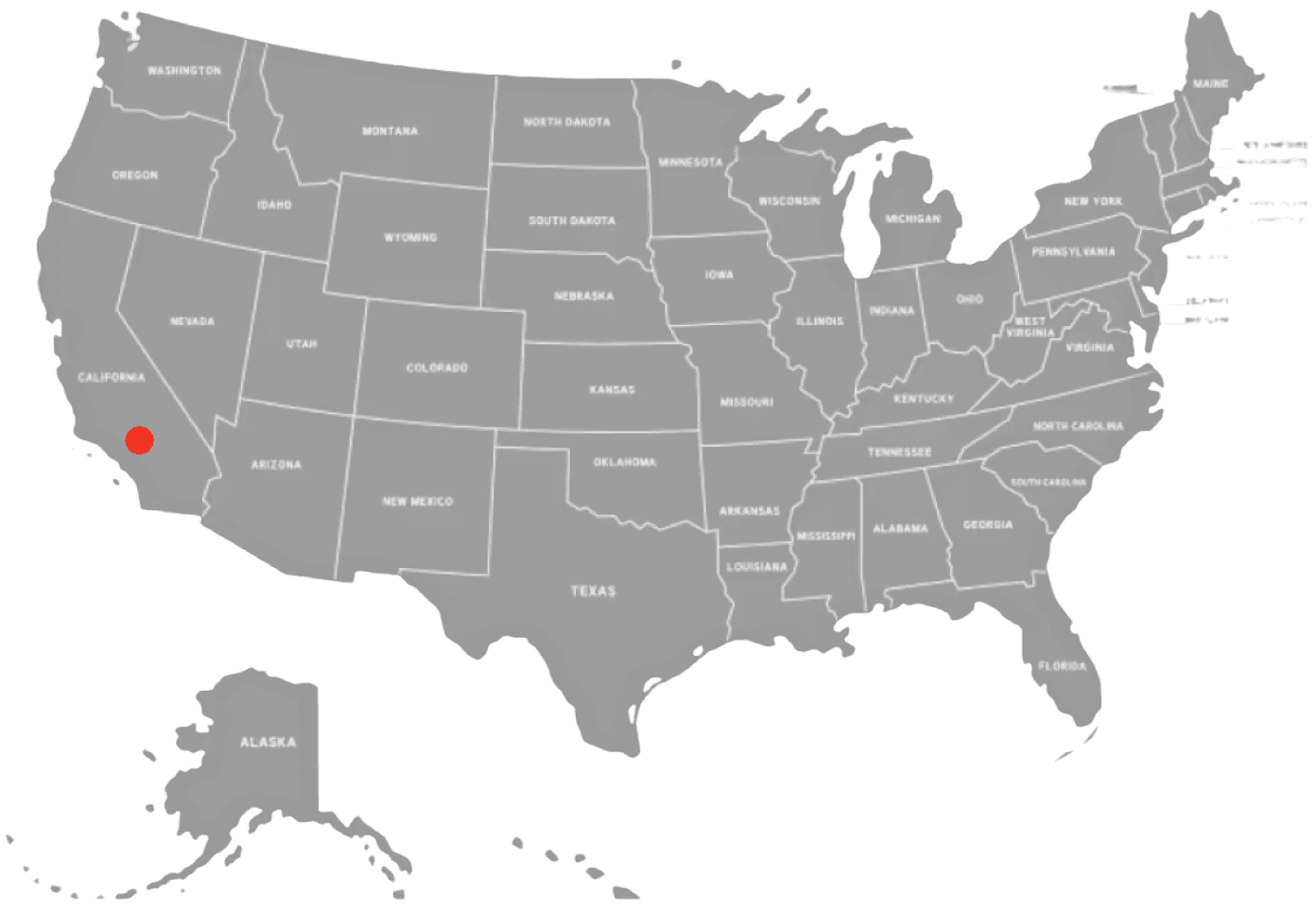
Currently based in Southern California
Open to relocation and remote opportunities
Available for:
• Help Desk
• IT Support
• IT Field Technician
• Service Desk Roles
Availability
© 2026 Dylan Fenton


CONTACT

Who I Am
Hey, I’m Dylan.
I’m an IT support-focused problem solver building hands-on experience in networking, Active Directory, Windows environments, and technical troubleshooting.

IT Support
Scroll
Windows Administration | Active Directory
Microsoft 365 | Networking
ABOUT ME
Current Technical Focus
Troubleshooting Windows and networking issues
Building networking fundamentals
(TCP/IP, DNS, DHCP, subnetting)
Learning Active Directory user and group
administration
Completing guided Microsoft Learn and
TryHackMe labs
Current Learning Path
Planned Next
CompTIA Security +
CCNA
B.A. Information Technologies
(Expected 2027)
Service Desk Simulator
Microsoft Learn (Windows Administration)
Active Directory Administration
Group Policy Management
Windows Server Administration
PowerShell Basics
TryHackMe Windows Labs
CompTIA Network + (In Progress)
B.A. Information Technologies (Expected 2027)
CompTIA Network + (Expected 2026)
Technical Mindset
I believe the best technicians understand the problem before trying to fix it.
Break down problems methodically
Focus on root-cause troubleshooting
Explain technical issues clearly
Learn through hands-on practice
Turn complexity into structured solutions
Hands-On Technologies
Windows 10/11
Microsoft 365
Active Directory
DNS
DHCP
TCP/IP
PowerShell
Command Line
Completing Service Desk Simulator, Microsoft Learn and TryHackMe labs covering Windows administration, networking, Active Directory concepts, Microsoft 365, and enterprise IT support.
Service Desk Simulator
Windows Administration labs
Active Directory concepts
DNS & DHCP troubleshooting
PowerShell fundamentals
Networking Labs (TCP/IP)
My Learning Journey
CURRENT FOCUS
CURRENT PROJECTS
My Goal
Secure my first IT support role where I can contribute immediately, continue learning from experienced seniors, and grow into systems administration, networking, or security.
VIEW FEATURED WORK
Download Resume

Help Desk Simulation
FEATURED WORK
Hands-on enterprise support training in ServiceDesk Simulator across access, network, hardware, server, and software incidents.
Building hands-on support experience through home
labs, Microsoft Learn, and simulated service-desk projects.
Tickets Resolved
Accuracy
Simulated Calls
Ticket Categories
Windows troubleshooting
Networking fundamentals
Active Directory basics
Technical support skills
Hands-on lab experience
What I Offer
© 2026 Dylan Fenton
Let's Connect
CONTACT
RESOLUTION
Created the AD account and assigned the required Engineering, VPN, & repository groups.
RESULT
Verified the account matched the onboarding request.
ISSUE
New Engineering employee needed an account and approved access.
User Provisioning
Security Groups
Active Directory
Identity & Access Management
Active Directory | New-Hire Provisioning
RESOLUTION
Reconnected the VPN and restored the D: drive using its approved UNC path.
RESULT
Verified the drive was online and accessible.
ISSUE
Remote employee had internet but could not access the Marketing drive.
Remote Support
VPN | Shared-Drive Recovery
VPN
UNC Paths
Mapped Drivers
RESOLUTION
Isolated the outage to a failed network switch and rebooted it.
RESULT
All 13 nodes returned online, and the user confirmed service was restored.
ISSUE
Floor 3 lost internet and CRM access.
Network Infrastructure
Switch Monitoring | Floor-Wide Outage
Network Monitoring
Network Switches
Incident Response
RESOLUTION
Rebooted the server, remapped the printer using its documented IP, and sent a test page.
RESULT
Confirmed successful printing and monitored the server for further issues.
ISSUE
A degraded print server caused a building-wide outage and workstation printing failure.
Network Printers
Remote Support
Print Server
Enterprise Print Services
Print Server Recovery | Printer Configuration
RESOLUTION
Imaged and configured a replacement workstation with the required hostname and software.
RESULT
Deployed the replacement and verified successful operation with the user.
ISSUE
A failed support workstation prevented an agent from handling customer calls.
Endpoint Deployment
Workstation Imaging | Hardware Replacement
Imaging
Device Deployment
Hardware Support
Created user accounts, configured employee attributes, assigned approved security groups, and modified access based on job responsibilities.
Identity & Access Administration
Endpoint & Infrastructure Support
Troubleshot workstation, VPN, mapped-drive,
printer, and network outages using
remote-support, monitoring, and
documentation tools.
What I've Learned
Prioritize by business impact
Follow documented procedures
Confirm restoration with the user
These simulations strengthened my
ability to assess business impact, isolate
faults systematically, follow
documented procedures, communicate clearly with users, and verify service restoration before closing tickets.
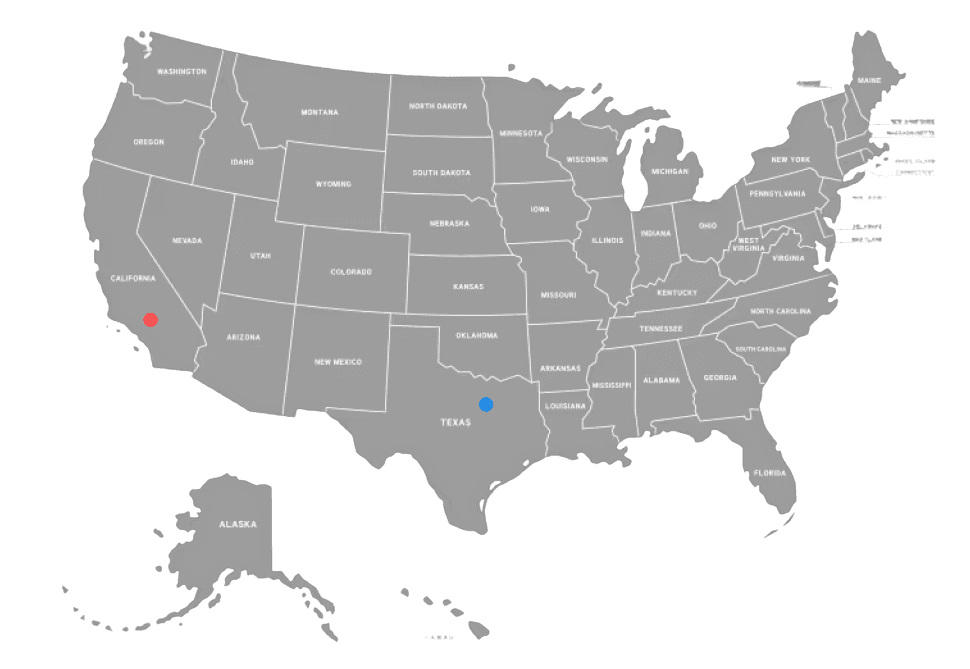

Open to relocation opportunities
Currently based in Southern California
Available for help desk, IT support, field IT technician, technical support, and service
desk roles.
Availability

Open to IT support, help desk, field IT technician, and technical support opportunities focused on trouble-shooting, networking, and enterprise systems.